Remote control
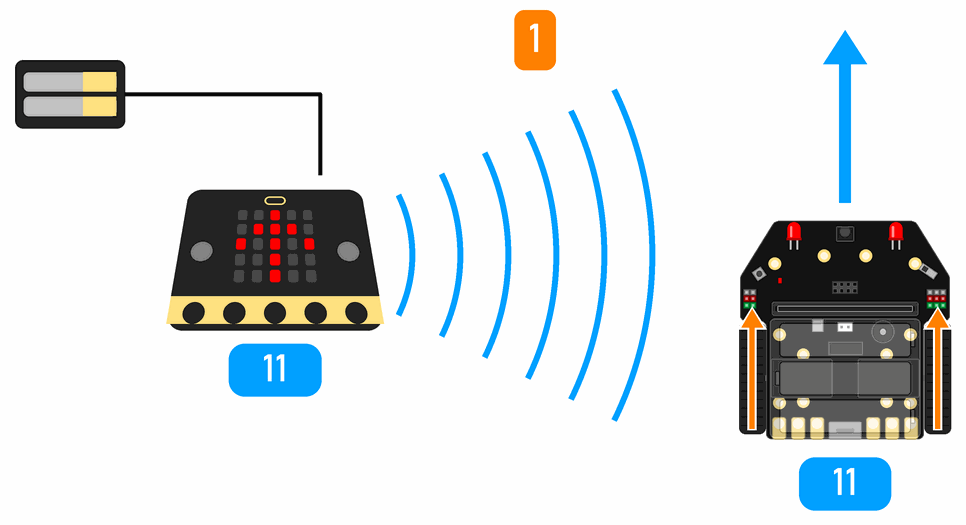
The sender from the lesson The micro:bit as a controller drives the Maqueen robot over radio, and the safety rule stops the motors when the link is lost.
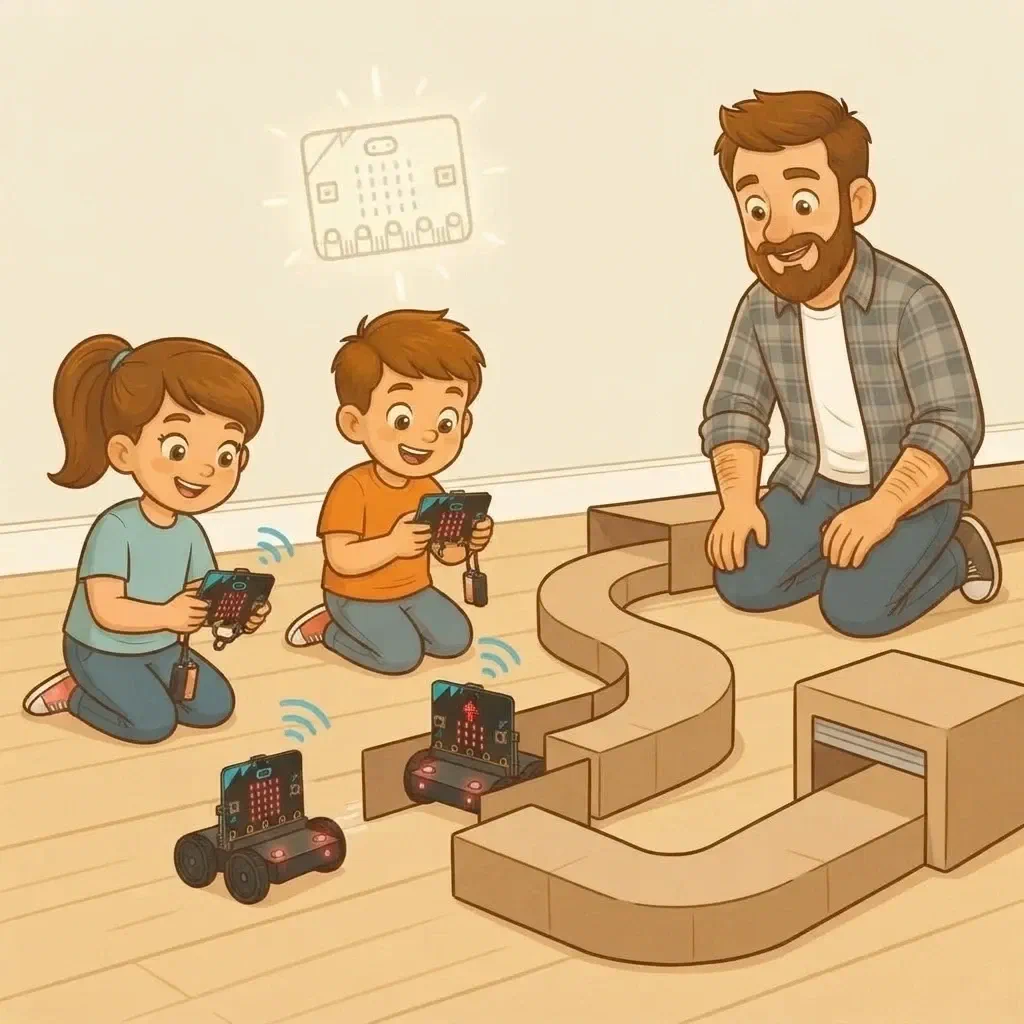
The sender stays exactly the same. The receiver gets motors: instead of just showing an arrow, it drives that way.
Today we will:
- teach the receiver to drive the robot;
- find out why driving has its own forever block;
- extend the safety rule so that it stops the motors too;
- drive a course around obstacles.
Materials
- a Maqueen robot;
- two micro:bits with a sticker showing your workstation number: the sender, with a battery pack, and the receiver, which goes into the robot;
- a USB cable;
- a few boxes for obstacles and a garage.
The sender’s program
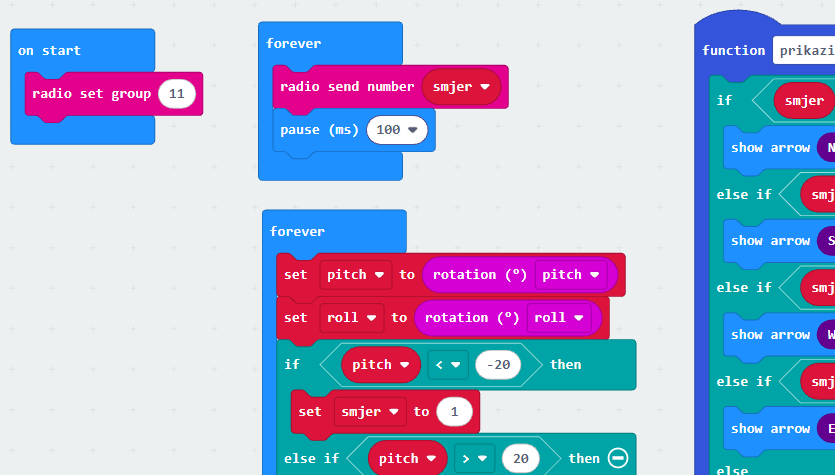
The sender works just as it did at the end of the lesson The micro:bit as a controller: every tenth of a second it sends the number of the direction it is tilted in (1 forward, 2 back, 3 left, 4 right, and 0 when it’s flat) and shows an arrow. Today we don’t change it.
Before the first exercise, download the program to the sender again, even if you think it’s still on it. That way you know the sender has the right program, and the sender and the robot are in the same radio group. Open the program with the link below, set the radio group to your workstation number (it’s on the sticker) in the on start block, and download it to the micro:bit with the battery pack.
Your radio group is your workstation number
In both programs, the sender's and the receiver's, set the radio group to your workstation number. It's printed on the sticker on both micro:bits. If two participants have the same radio group, both robots get the messages from both senders, so they drive sometimes where one sender sends them and sometimes where the other does.

Exercise 1: The receiver drives
Program: Prijemnik, step 4 Technique: driving in its own forever block
Open the Prijemnik project from the lesson The micro:bit as a controller and add the maqueen extension to it. The receiver can already receive a direction, remember it and show an arrow. Now it has to drive too.
Add a safe start to the on start block: stop both motors. Make the function vozi (Croatian for “drive”) with the number smjer, which starts the motors for each agreed direction. Add another forever block, which calls vozi every 0.05 seconds.
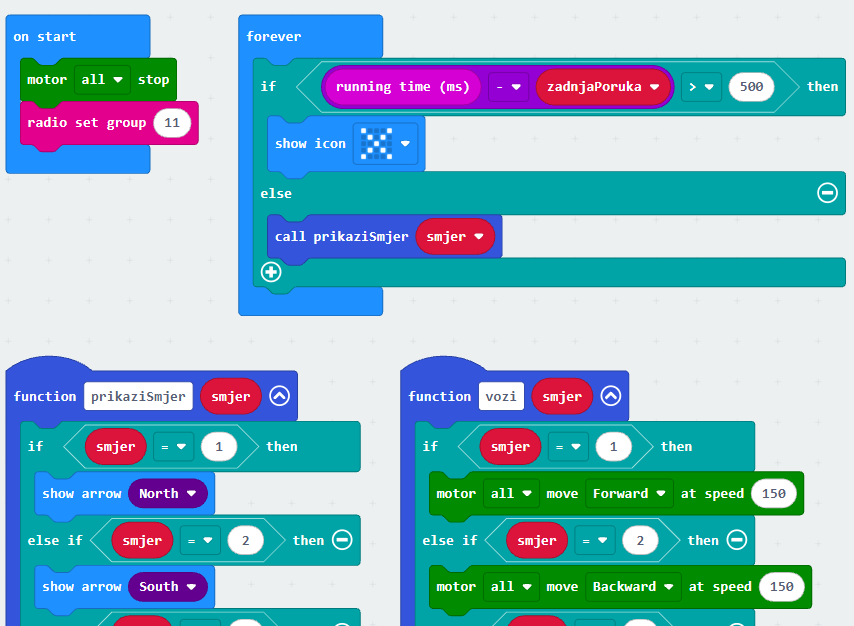
The function vozi looks like prikaziSmjer: the same chain of conditions, with the same agreed numbers. It just starts the motors instead of showing arrows. When turning, the robot goes more slowly, so it’s easier to aim.
Why does driving have its own forever block?
Remember the sender. The show arrow block shows the arrow for 0.6 seconds and only then lets the program carry on. That’s why sending got its own forever block.
It’s the same with the robot. If vozi were in the same block as prikaziSmjer, the robot would only find out the new direction when the arrow had finished. You tilt the sender, and the robot turns half a second later, when it has already hit the wall. This way the second block hands the newest direction to the motors every 0.05 seconds, whatever the screen is doing.
Try it
Download the program to the robot (switch off; take out the USB cable before you switch it on). Put the robot on the floor, switch it on, and switch the sender on. Tilt the sender forward, back, left and right. Does the robot drive where you send it?
Predict
The robot is driving forward, and you switch off the sender’s battery pack. What will the robot’s screen show? And what will the motors do?
Try it, carefully
Put the robot half a metre in front of a box, facing it. Tilt the sender forward, and when the robot moves, switch off the sender’s battery pack. When the robot reaches the box, switch the robot off.
What happened, and why?
Exercise 2: The safety rule stops the motors
Program: Prijemnik, step 5 Technique: the safety rule
We carry on in the Prijemnik project. The same rule that shows the X now has to stop the motors too.
Change the second forever block: put the call of vozi inside if / else, with the same condition as in the first block.
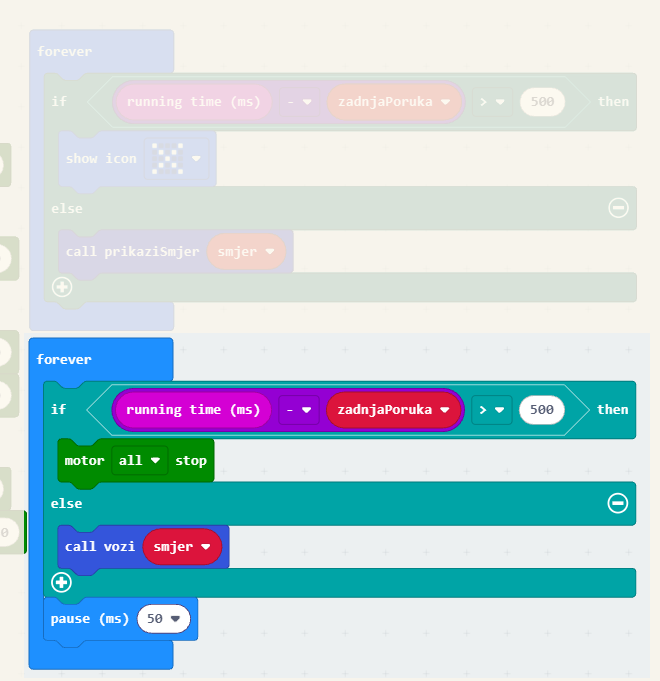
The robot is now finished.
Predict
- You switch off the sender’s battery pack while the robot is driving. How much further does the robot drive?
- You switch the robot on while the sender is off. What does the robot do?
Try it
Repeat the experiment with the box from exercise 1. Does the robot stop by itself now?
How much further did the robot drive, and what does it do when you switch it on while the sender is off?
This is the most important rule for a remote-controlled robot: when it can’t hear the sender, it stops. Every one of our robots will have it until the end of the year.
Exercise 3: The course
Now that the robots drive, build a course out of boxes with the instructor: a winding street, a narrow passage and a garage at the end, a box with one side missing. Drive from the start to the garage and park the robot in it without touching any box.
If the robot is too fast to drive round the boxes, lower the speed 150 in the function vozi. If the robot doesn’t turn at speed 80, look in the table from the lesson How fast does the motor spin? for the lowest speed at which your robot drives, and choose a bit more.
Extra tasks
- Horn. When you press A on the sender, let the robot sound a horn. Hint: the sender sends the number 9, which isn’t a direction. When the receiver gets 9, it doesn’t change smjer, but plays a short tone. Music category; the Maqueen’s buzzer is on pin P0.
- Two speeds. When you press B on the sender, let the robot switch from slow to fast and back. Hint: the sender sends 8, and the robot remembers the speed in a variable.
- Curves while driving. Instead of turning on the spot, let the robot turn while it drives: both wheels forward, but one more slowly.
What’s next?
Next time we meet switches, and the robot gets a bumper: its first sensor, with which it feels by itself that it has hit something.
 What did we learn?
- The receiver from the lesson The micro:bit as a controller has become a robot, and the sender has stayed the same.
- The function vozi has the same chain of conditions as prikaziSmjer, but it starts the motors.
- Driving has its own forever block, so it doesn’t wait for the arrow on the screen.
- The screen isn’t a motor: the safety rule has to stop the motors, not just show an X.
- When the robot hasn’t heard the sender for half a second, it stops.